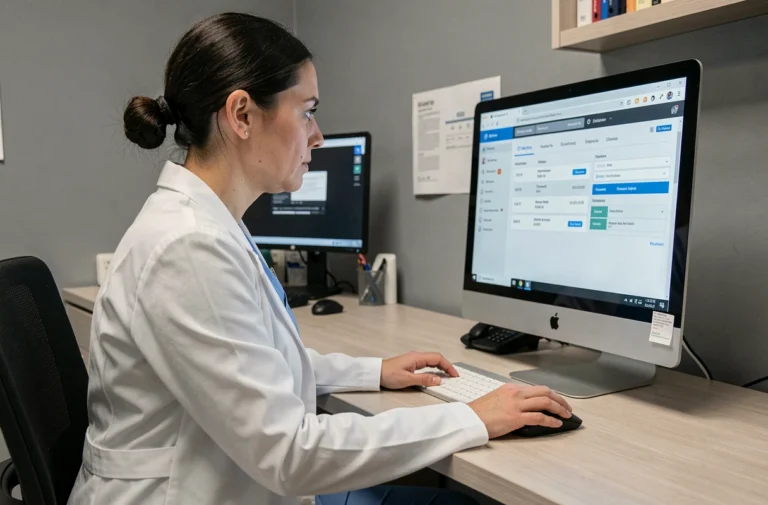
A co-owner who moves or changes their phone operator updates their number everywhere except with their property manager. The result: general assembly notices arrive at the old address, calls for funds go unanswered, and the MyFoncia co-ownership account displays outdated information. Changing contact details in this client space requires understanding a mechanism that the platform does not clearly explain: the dependency on the file held at the agency.
MyFoncia Contact Details: Why Changes First Go Through the Foncia Agency
On most online client spaces, you can change your email address or phone number in two clicks from the profile settings. MyFoncia works differently.
The email address registered with the agency remains the point of truth for the file. As long as this data is not updated on the Foncia back-office side, any changes made in the online space risk being overwritten or ignored during synchronization. The procedure thus follows a two-step logic: first, update the file at the agency, then manage independently in the client space.
In practical terms, this means that a simple email or call to your property manager is enough to initiate the update. Once the agency is informed, the change is reflected in MyFoncia. Co-owners who try to skip this step often find themselves with a login ID that no longer corresponds to their actual email, blocking the receipt of notifications and digital documents.
For those who want to manage their MyFoncia co-ownership account without unpleasant surprises, this dependency on the back-office is the first reflex to adopt before any online manipulation.
MyFoncia Client Space Login: The Three Scenarios to Distinguish
Since 2026, the MyFoncia login process clearly separates three scenarios. Confusing them is the primary source of blockage reported by co-owners.
- Account Activation: retrieve the temporary ID from the last call for funds, then enter it on the first login page. A confirmation email arrives (check spam), and then you set your permanent ID and a password that includes at least six lowercase letters, one uppercase letter, and one number.
- Retrieving the ID: when you forget the email address used as the ID, you must go back to the agency to find it in the file. The online space does not offer a search by name or lot number.
- Password Reset: accessible directly from the login page, this procedure sends a reset link to the registered email. If this email is outdated, you fall back to the previous case.
This segmentation reduces errors in the process compared to previous versions of the platform, but it assumes you know which scenario you are in before clicking.
Lost Password or Outdated Email: Two Different Problems
A forgotten password can be resolved independently in a few minutes. An outdated email, however, requires going through the agency. Confusing the two wastes time and generates unnecessary support requests.
If you no longer have access to the email linked to the account, contact your manager before attempting a reset. The reset link will go to an address you no longer check.
Automatic Payment of Co-Ownership Charges from MyFoncia
Paying calls for funds is one of the most used functions of the co-owner space. Since this year, automatic payment is set up directly online, without a paper mandate.
You enter your bank details in the payment section, validate the payment authorization, and the property manager triggers the payments on the scheduled dates. No need to print, sign, and return a form by mail.
Check the Amount Before Activating the Payment
Before validating, check the details of the call for funds in the documents section. The amount deducted corresponds to the charges voted on in the general assembly, distributed according to the shares of your lot. A data entry error on the property manager’s side is rare, but checking the first payment remains a useful precaution.
Feedback varies on the speed of implementation: some co-owners notice activation as early as the following quarter, while others wait an additional cycle.
Co-Ownership Documents Accessible Online: What You Really Find There
The documents section of MyFoncia centralizes the documents related to the management of your lot and the building. You can find the minutes of the general assembly, calls for funds, charge statements, and letters from the property manager.
The e-statement allows you to receive a notification by email as soon as a new document is published. This option replaces postal delivery for co-owners who activate it, speeding up access to information and reducing delays.
The e-recommended, on the other hand, offers a dematerialized receipt of registered letters. General assembly notices are sent through this channel when the co-owner has given their consent.
Archiving and Downloading
Documents remain viewable and downloadable from the client space. To find an old document, the search bar filters by document type and date. Always download the minutes of the general assembly: in case of a dispute over a voted decision, having the original document on your own support avoids depending on the platform’s availability.

The distinction between the online space and the physical agency remains crucial for any co-owner managed by Foncia. The MyFoncia client space covers ongoing monitoring (documents, payments, notifications), but changes to personal data and complex requests always go through the manager. Keeping the reflex to check your details at the agency at least once a year avoids most account blockages.